Pages

Showing posts with label technology. Show all posts

Tuesday, November 17, 2015

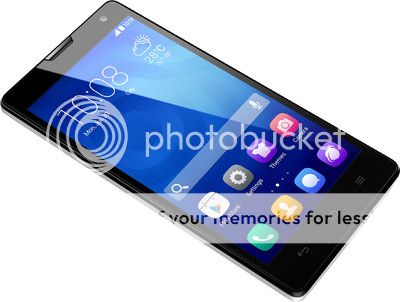
My new toy, the Xiaomi Mi 4i


I have got myself a new phone, the Xiaomi Mi 4i! After upgrading my phone, I got to browse faster with 4G, and battery life has become manageable.


It began with my status update on my former Samsung Galaxy S3. I bought it way back in 2012, after I completed my Honours year. I posted some status updates on Facebook describing how sluggish my S3 has become and the short battery life. My friends urged me to upgrade my phone. So I know it's time already.

I made the decision to purchase a Xiaomi Mi 4i under a Digi contract at Digi Specialised Store @ Low Yat Plaza. I have been a loyal prepaid customer with Digi, and the shopkeeper transfer me seamlessly to postpaid. To top it off, I got a rebate for my remaining prepaid balance!

When you buy handphones, it's best to buy it at reputable stores. As a matter of fact, it's better to buy from big stores at established locations. Digi flagship store don't dare to cheat customers one, everyone should know right? My dad bought his Lenovo from small shops in seemingly dodgy places, and turned out he got imitate (fake) phones and of course faced minor problems in his everyday usage.


My first impression: its display is brilliant! It’s a 5-inch 1920 x 1080p panel. I can view Youtube videos in high definition.


The Mi 4i has 4G LTE, which means faster mobile Internet. It's one of reason why I made the leap to Mi 4i. Viewing Facebook feed, downloading Instagram photos and watching Youtube is blazingly fast. Coupled with Digi's LTE network, I have no problem keeping connected with my friends and social media followings.

Digi has 4G coverage in major urban centres like Kuala Lumpur, Petaling Jaya, Subang Jaya, Shah Alam (& most of Klang Valley), Penang, Johor Bahru, Malacca as well as minor population centres Muar, Batu Pahat, Taiping and Langkawi island. Considered very good already.

Dual SIM is cool but I'm only putting one SIM for now.


The Xiaomi Mi 4i comes with the largest capacity found in Xiaomi phones so far, 3120 miliAmpere hours (mAh). Speaking about battery life, it lasts longer thanks to battery saving features built into its MIUI, lasting up to 1.5 days on a single charge. I can say goodbye to battery running out of juice the next day and affecting my communication with fellow colleagues, since they update on important matters relating to work on Whatsapp group.


After talking about its impressive features, the only complaint I have on the gadget is its small memory. Its 2 GB RAM is not much, considering the memory intensive nature of apps and the habit of multitasking on smartphones. On the Mi 4i, I have experienced apps shutting down due to insufficient memory. The issues will become bigger as I install more apps to meet my growing needs.

Overall, I am impressed with the Xiaomi Mi 4i for its features. Indeed, Xiaomi needs to pull up its socks over some performance issue as time passes, as SoyaCincau and GizChina has mentioned, otherwise it struggles to live up to its flagship status. For now, it delivered a seemingly stellar performance without breaking the bank.

** the Xiaomi Mi 4i photos are taken elsewhere around the net

Saturday, November 14, 2015

Smart toys from Sphero

Disclaimer: This is not a paid review. I am writing this out of my own discovery, and also because I think it's cool!

I was looking for some good morning materials before work, and logged onto RadioShack Malaysia website (link). Never would I know I stumbled upon some hidden gems!

image source: link

RadioShack is a chain store that caters for technology needs, where you can find cables, batteries, power banks, headphones and speakers. Apart from everyday products, DIY electronic kits are available from them to try at your own too.

If you frequent shopping centres around Klang Valley, I guess you must have seen one of RadioShack Malaysia store. There's one in Berjaya Times Square. Other locations include Sunway Pyramid, The Curve and Mid Valley. The full list of locations can be found here.

The hidden gem I've found is Sphero.


I guess most of you are new to this company! The company has been around for a few years, coupling smart technology with seamless fun.

I was up for an eye opener when I watched the videos.

Sphero 2.0


Sphero 2.0 is a smart ball that I've never thought possible. Now that I'm living in the 21st century, smart items are the in thing now! Basically it's a remote controlled ball that connects to your smartphone via Bluetooth. The ball is controlled by an app. Or you can do it the other way round: Use the ball to control an app!

Watch the video below to see how cool it is! I was fascinated with remote controlled cars earlier, this is way more interesting!


Sphero Ollie


It looks like a two wheeled car, but where's the engine? If you show this to your friend, they'd think you come from the future!

You don't see the engine from the outside. In fact, the engine is housed inside the casing. The guys at Sphero definitely knows what they're doing with marvellous craftsmanship.

The Ollie can handle any terrain.


Sphero BB-8


You're going to see BB-8 in Star Wars: The Force Awakens. The robots seen in Star Wars has always lived on screen and our imaginations. Thanks to advancements in knowledge and technology, the team at Sphero has brought our imaginations to life!

The movie is going to be out on Christmas, and here's your chance to have fun with it now! I feel like I'm in the future now. It works exactly the same way as Sphero 2.0, with the addition of a magnet that holds its head.

When I wrote this, this toy is so popular that it has run out of stock at RadioShack Malaysia!


One final question: There's no charging port for the toys, so how do I charge my Spheros? All toys use inductive charging (go and nerd on physics now!). Just place the toys on a charging base, and let science do the job for you :)

That's all and thanks for reading!

Before I forget, you are not limited to controlling Sphero from your smartphone. For the more adventurous, you can program your Sphero to work in other ways, or dismantle the toy and made it into new stuff.

If you'd like to read more, Engadget has news coverage about Sphero (link). You can check out their official website at


Credits:
** product images taken from RadioShack Malaysia

Sunday, March 22, 2015

Never plug USB the wrong way again!

Who doesn't use USB? Thumb drive, external hard drives, keyboards, mouse and even charging your iPhone and Androids everything uses USB! Getting your college assignment on paper must use USB. Printing stuff at work also USB. No USB, no life! Right or not?


Everyone's pretty excited about the signature blue USB 3.0 ports and plugs right? USB 3.0 can transfer data at faster speed than before. It really saves me time when I need large files on the go.

Now look closely at the USB 3.0 plug above. It's a well made plug, I know lah. But there's still one flaw with its design.

Notice the blue part that fills half of the space inside the metal housing? The blue part is what I don't like about USB since it existed. There's only one way to insert the plug correctly into the port. If you have turned the plug upside down, it's the wrong way.

How much time do I waste to plug USB the right way? As it turns out,


Especially when I need access to the back of my desktop and I can't move my chasis. This time I'd pull out a mirror and play the dentist's trick.

I don't mind about spending more time to plug my USB right. The real pain of plugging my device the wrong way is getting my stuff damaged and having a bad heartache afterward. When I'm unlucky, there goes my good USB cable or worse, my irreplaceable data in my USB flash drive.

How do you make sure USB plugs are inserted the right way? There are two choices
  1. Keep an eye for the right way.
  2. You won't plug USB the wrong way anymore! Because both ways are right. The incorrect way simply doesn't exist.

I prefer choosing the second option. It saves me much time and concerns.


What do I need to plug my USB correctly, both ways? An adapter. You're a genius in guessing it!

The good news is, Julian Chow and Kevin Lieber are working on this adapter I'm dreaming about. It's called Ryo Adapter (link).

With this magic adapter, both ways are made right to be plugged. The wrong way be damned.


Most importantly, the Ryo Adapter is a compact and lightweight device to be added on. No point for me to make an adapter the size of a golf ball right?

How to use the Ryo Adapter? First you plug your end of USB cable, like this


Then plug to your port


The Ryo Adapter stays securely attached to your plug. No worries about leaving one behind in public places!


That's it! An adapter with a minimal footprint that lets you plug your USB the right way, everytime!

At the time of writing, this project has raised $33478 at Kickstarter, far exceeding their target of $15000. I'm looking forward to it! 

How to order one? Back the project in Kickstarter. By September 2015, you'll receive your adapter ahead of everyone else!

That's all you need to know =)

For more info, visit:

Website: http://www.ryoadapter.com/
Kickstarter page: Link


Bonus:


Good to know that they've filed a patent for Ryo Adapter!

Wednesday, December 24, 2014

Garmin's cutiepie

My uncle decided to buy a laser printer for office use, in the last hours before Pikom PC Fair 3 ends! From my grandma's house, we drove to Kuala Lumpur Convention Centre to make our hunt.

I kid you not, he was looking for a very specific printer. Due to high volume of prints in the office, he was looking for a heavy duty model capable of printing 10,000 pages from a single toner. Most laser printers are incapable of doing that. And, we eventually found a good deal: lease to own a printer. Basically, my uncle only needs to pay a fixed amount per month for 3 years to have the printer shipped to his office. Toner exchange and maintenance will be taken care by the vendor. Sounds very very good!

And then, at the Garmin booth, I found the same showgirl again! I was hoping to stumble upon her again because my friend said she's very pretty.

*photos taken with my Samsung Galaxy S3


In my last installment, I dubbed her the best showgirl around PC Fair.

This time around I took the opportunity to ask for her contact, so I'll know who she is and won't forget her again! She's known as Gummy Sy. Go follow her on Facebook & message her if you have modelling jobs.

Tuesday, December 23, 2014

9 secrets of shopping in Low Yat Plaza


I am a person into computers and electronic gadgets so I love hanging out at Low Yat Plaza a lot. Sometimes, after work, I'll take a walk at Low Yat Plaza to check out what's the latest promotion going on and try out new gadgets. Whenever I wanna shop for electronics, the place to go is Low Yat Plaza.

Low Yat Plaza is Malaysia's largest ICT lifestyle mall - everyone should know that!

If you're not living in Kuala Lumpur like I do, you have Digital Mall in Petaling Jaya and KOMTAR in Penang Island are the places to go, they are the Low Yat Plaza of your area, so my tips apply to these places!


After I graduating from my degree I gave a shot of working at Viewnet Hyperstore in Low Yat. Based on my experience, I present you a few tips that’ll save you much headache shopping at ICT lifestyle malls!

Ask politely for discount
This is my Golden Tip when shopping for gadgets. If you take a product from the shelf and head straight to the cashier, you'll be charged the list price. In reality, you can buy stuff at a cheaper price! Prices can go lower than those stated in price lists. Here’s a little tip: you can ask sales assistant to give you discounts! Sales discounts can indeed be given if it's permissible. Just make sure you ask nicely with a smile.

Do your homework on what you need
Compatibility is the buzzword when it comes to buying technology products, because electronic equipments only work with appropriate accessories. Before you hit the shops, it’s good to know about the model number and specifications of your existing products, or if you’re clueless, present a photograph of your existing products. In most cases, a model number will suffice. There’s little salespeople can do when you can’t tell what your product model is.

When buying consumables such as ink cartridges and toners, it's best to give the model number of the cartridges or toners instead of printer models can save much searching time, and salespeople in the shops will appreciate it lots.

Once open, it’s considered sold
You may have noticed signs asking customers not to open the product packaging, and the shops have a good reason to do so. Careless opening of product packaging can lead to damage and affect sale of products because the packaging don't look good anymore. If you need help, you can always consult salespeople in the shop for a sample, or have the salesperson open the product for you (if possible).

Look at sales personnel’s outfit
Salespeople in Low Yat Plaza and similar places are divided into two types: sales assistants and promoters. Are they different? Of course they're different, & indeed both types of sales personnel are different. Sales assistants are employed by the shops and they are rewarded for sales of any products in the shop. Promoters’ usually wear T-shirts representing a brand and they’re employed by the brand to increase sales of the brand’s products. See the difference in their interests?

The next time you buy a gadget, know the difference between someone wearing a Viewnet (shop) uniform and another wearing Logitech (brand) T-shirt. Make your judgements on whose opinion carry more weight on you decision making.

Ask questions on product
It’s pretty self explanatory! Ask whatever question that comes to your mind before you buy. No question is a stupid question!

Ask for any warranty upgrades
Some shops provide warranty upgrades for select products. Warranty upgrades are worth it for an additional fee because it saves you so much time when you need it. Who knows, you need to claim warranty & the hassle is travelling. Benefits of warranty upgrades can range from walk in warranty (saving you from going to the brand's service centre) to 1 on 1 item exchange.

Large orders or special product not in stock, refer to senior staff
During my job, I’ve met business customers making large orders and enthusiasts looking for high end/collector’s item that are not in stock. If you need something, and there’s not enough stock to meet your needs, you can simply ask to be referred to senior staff of the shop who can tell you whether stocks will be immediately available.

Test product immediately
Nothing is more annoying than a product not working when you got home, right? After you paid for your product, it’s best to open the packaging and test the goods you’ve bought. If you have any issue, you can ask for an immediate replacement. Good shops have testing corner for you, so make good use of it!

Addition
Avoid buying from foreigners
There are stalls opened by foreign workers (particularly the Pakistanis) in Low Yat Plaza. My advice is avoid buying from them unless you know & trust them personally. Who knows if you need after sales service but the stalls are no longer there?


You have finshed reading my computer & gadget shopping tips in ICT malls! Do you find any of the tips useful?


Thursday, May 22, 2014

#FirefoxKita launch party at G Tower

On the 8th of May, 2014, I attended the launch party of Mozilla Firefox in Bahasa Malaysia. It was held at G Tower, Jalan Tun Razak.

Mozilla Firefox is a popular web browser known for its speed and security. Volunteers around the world contributes to the improvement of Firefox, as well as making it available free of charge to all users.

The project to translate Firefox into Bahasa Malaysia has been ongoing for two years. For that to happen, volunteers translated 88,000 string of words from English into Bahasa Malaysia! I must commend the dedication and hard work of these generous people to bring Firefox accessible to people speaking Bahasa Malaysia.

#FirefoxKita launch party also commemorates the release of Firefox version 29. This installment of Firefox features a revamped user interface, as well as two features for browsing privacy: "Do Not Track" and private browsing. "Do Not Track" disables tracking of your browsing activity by online advertisers; while private browsing lets you browse web page without leaving cookies. The private browsing feature is useful if you need to go online shopping or banking.

Lina, emcee of the day
Meet Lina, who was emcee for us.

#FirefoxKita launched!
They celebrated the feat with a cake!

I was glad to meet a blogger at the event, Amanz.my. This is a reputable tech blog, written in Bahasa Malaysia.

To know more, you can check out the external links below!

Update on Mozilla Malaysia website
Summary of #FirefoxKita on Storify
Photos on Mozilla Malaysia Facebook page

Wednesday, May 21, 2014

Don't fret! Xiaomi Mi 3 is restocking


It's remarkable that Xiaomi's flagship Mi 3 was sold out in 17 minutes when sales starts, what more crashing their servers.

For those keen on getting their hands on Xiaomi's phone, don't fret! Just wait a little while, because patience is a virtue! Please don't pay through your nose by buying through scalpers.

Another batch of Mi 3 is coming your way in one week's time, at 12 pm on 27/05/2014. All you need to do now is sit back and wait!

Meanwhile, don't you care about reading more?

Look at what Xiaomi has done to Apple's iPhone
Why are Xiaomi phones so cheap?

Xiaomi Mi3 & powerbank sold out in Malaysia


Chinese smartphone maker Xiaomi 小米 (literally: Foxtail millet) has been on my radar for a while, knowing that the brand is the bestselling smartphone in China.

Hence I was excited to hear Xiaomi entering the Malaysian market.

Today, I heard about Mi3 was sold out within 17 minutes on the web. 4000 units in less than half an hour - that's remarkable.

And the Mi powerbank finished in 9 minutes. The powerbank retails at RM 36 for a capacity of 10,400 mAh. Not only that, Xiaomi's server crashed under the sheer number of requests!

I knew of K-pop concert tickets selling fast - those of SM Entertainment's, not even five minutes!

That's a craze.

Sunday, May 18, 2014

My encounter with gamer girls!

Yours truly has started his career in the gaming industry, and he is getting a taste of it. Moving away from his academic life, he is now discovering the meaning of fun!

I came to know about Summer Liew as a gaming personality since I started working with Duskbin. She was at Viewnet Hyperstore for Logitech G Dota2 event to take on anyone with the guts to play against her! I went there to see her in action.

Since there were free slots, a chap suggested me to take up the challenge and play against her. The last time I ever touched an MOBA (multiplayer online battle arena) game was in my days at HELP University College studying Edexcel A Level. My coursemates played Dota in the student activities area, and I observed them. I learned about playing Dota a little, but yours truly is never a person who neglects classtime for sheer enjoyment.

Fast forward a few years, I had to pick up Dota2 from scratch, and played against Summer Liew as a total newbie.


I discovered another gaming ulzzang Wynnie Mynimo, and I clicked the 'Like' button on her page without a second thought.

My company was sponsoring a Mission Against Terror (short: MAT) tournament at Tbun II Wangsa Maju. I saw a girl in red with impressive bangs, and also a complexion so eye catching. I guessed she must be Wynnie, and turned out I was right.


She plays MAT and hold live streams of her game regularly on Twitch. A Taiwanese site has a collection of her pictures, so go check out to get to know her better! Link

Where do you find them? Here are their Facebook pages:

Summer Liew
Wynnie

Wednesday, May 7, 2014

Garmin's gorgeous girl

This is my last installment of PC Fair eye candy for you! I visited Garmin's booth, where you could find GPS and driving recorder to be used on the road and water. It's an established American company in the world of navigation. Guess what? Garmin has the most comprehensive map around.

Are you here for Garmin's showgirl? Here you are!


You should immediately notice her milky white skin. Her outfit is called a tube top and
short jeans.


Not forgetting she looks very cute! She can be considered one of the best showgirl around the event.


Garmin has a gift for me! Woohoo!

This is the end of my PC Fair series. See you next time!

Part 1: Asus girl
Part 2: Lenovo girls
Part 3: Razer girl
Part 4: Monkey King & Epson Mascots
Part 5: GoPro girls
Part 6: Logitech's Dota2 & Powershell
Part 7: Garmin girl

Monday, May 5, 2014

Logitech's Dota2 challenge and Powershell

Many would have assumed that goods sold at PC Fair or other shows come at a discounted price, however such an assumption can turn out to be false at times. It's advisable to check with the shop before buying, especially if the product cost a lot. Try calling up the exhibitors' home base (the shop where the exhibitor normally do business) by phone to check on the price. Let's say Canon is exhibiting at PC Fair and you wanna buy a printer priced RM 1000 and above, make sure you ring up Canon's concept store in Low Yat Plaza to ask about the price.

Years ago, I did the same and decided not to buy at PC Fair due to the fact that the same product was sold at a lower price in Low Yat Plaza, by the same shop.

Logitech is no stranger to me. The brand is known for its keyboards, mouse and other computer accessories. Recently the brand decided to venture into gamers' market.

I stopped by Logitech's booth for a visit, and the booth was having a 1 versus 1 Dota2 challenge. Visitors were able to challenge a player in a duel to bring home a Logitech mouse pad, should they win the game.


As this player was completely immersed in her game, I watched her fingers pressing on the keys with impeccable dexterity. Pressing the keys activates many functions like using an item or unleashing a skill of her game character.


The Logitech Powershell was a product to behold. The Powershell was designed to worked with iPhone 5 series and turn the phone into a game console familiar to mobile gamers.


I am showing all of you one more showgirl who worked for Garmin tomorrow, and that shall conclude my PC Fair posts.

Part 1: Asus girl
Part 2: Lenovo girls
Part 3: Razer girl
Part 4: Monkey King & Epson Mascots
Part 5: GoPro girls
Part 6: Logitech's Dota2 & Powershell
Part 7: Garmin girl

Sunday, May 4, 2014

GoPro showgirls

Since its inception, PC Fair grows from merely a consumer fair for sale of computers to a technology showcase to the delight of tech enthusiasts. It's not hard to check out what's in store for you, as well as what's upcoming in the market.

As with any exhibitions, PC Fair is very big, featuring lots of exhibitors and takes up large halls. A useful tip to navigate exhibitions is to do a quick walkthrough from the entrance to the exit during your first round to get a rough idea of the exhibition layout and who the exhibitors are. After doing a quick round, you can decide which booth you want to visit. Exit and re-enter the exhibition and then only start checking out the exhibitors & exhibits in detail.

In consumer fairs, age of visitors is never an issue. But if you're attending a trade show, rules such as minimum age, dress code and sometimes types of visitors (general public or business only) will apply.


GoPro cameras are meant for extreme sports. Have you seen videos in first person view doing extreme sports? They're probably shot with GoPro cameras.


GoPro cameras are compact and light to serve their purpose. They can be mounted on helmets, harness and even surfboards for a wide variety of activities including biking, climbing, surfing, flying, skating, etc.


One side of the showgirls' outfit. And I'm showing them in their entirety.


The other side of the showgirls' outfit. I noticed even their shoes were identical!


This is GoPro's current model in the market, the Hero3+, mounted on a selfie monopod.


The trigger unit.


That's how you use a GoPro camera to take a selca/selfie!

You can visit GoPro's official website at http://www.gopro.com/ to find out more about their products. More PC Fair 2014 showgirls to come!

Part 1: Asus girl
Part 2: Lenovo girls
Part 3: Razer girl
Part 4: Monkey King & Epson Mascots
Part 5: GoPro girls
Part 6: Logitech's Dota2 & Powershell
Part 7: Garmin girl

Thursday, May 1, 2014

My take on i-Rocks ROCK series K10 tactile keyboard


First impressions
The K10 weights more than other keyboards in the market, but I don’t think it should be a major issue. Otherwise, just like an average keyboard, the K10 comes with a standard keyboard layout. Another notable feature is the font printed on each keycap that may not suit the taste of corporate office.


Usage
I certainly do not notice the difference between K10 and the rest until I started typing. It gave me an unprecedented tactile feedback only mechanical keyboards can achieve. It turned out that I-Rocks has pushed the limit of everyday membrane keyboards, so much so that an entirely new category of keyboard was born.


Typing on the K10 was generally a breeze. There force needed to actuate the keys is within reasonable limits. Nevertheless, a major gripe is the short Backspace key, which took me a while to get used to. I preferred a longer Backspace key so that I can immediately correct my mistake, saving the step of correctly locating its place on the keyboard.


I have the choice of turning off the Windows key by pressing and holding both left and right Windows key until the “Win Lock” light comes on. Accidentally pressing the Windows key and bringing up the Start Menu may not be a major issue in earlier version, but given that the key brings up the Metro interface in Windows 8, it is a welcomed feature indeed.


Besides that, I can turn off the I-Rocks LED on the Space Bar by pressing and holding its Print Screen button, should I not desire it.

Conclusion
Given that mechanical keyboards are beyond the reach of many due to their prohibitive price tag, the K10 is a highly recommended alternative for anyone wishing a more comfortable experience at RM 169. Since rubber domes (that harden over time) are not used underneath the keycaps, I can safely bet that the K10 can last a long time provided that it is put under proper care.


*product photos courtesy of i-Rocks